
✦ Signature Overlay Collection • 61 High-Res Textures
Fine Art Photo Textures: Pack No. 4
Sculpt warm golden sunbeams, luminous light trails, and delicate airborne motion into your portraits. Texture Pack No. 4 includes 61 high-resolution overlay files across 6 creative categories—ready for Adobe Photoshop, Lightroom, Affinity Photo, and Capture One.
$50 USD
• 61 High-Res Textures • Pack No. 4
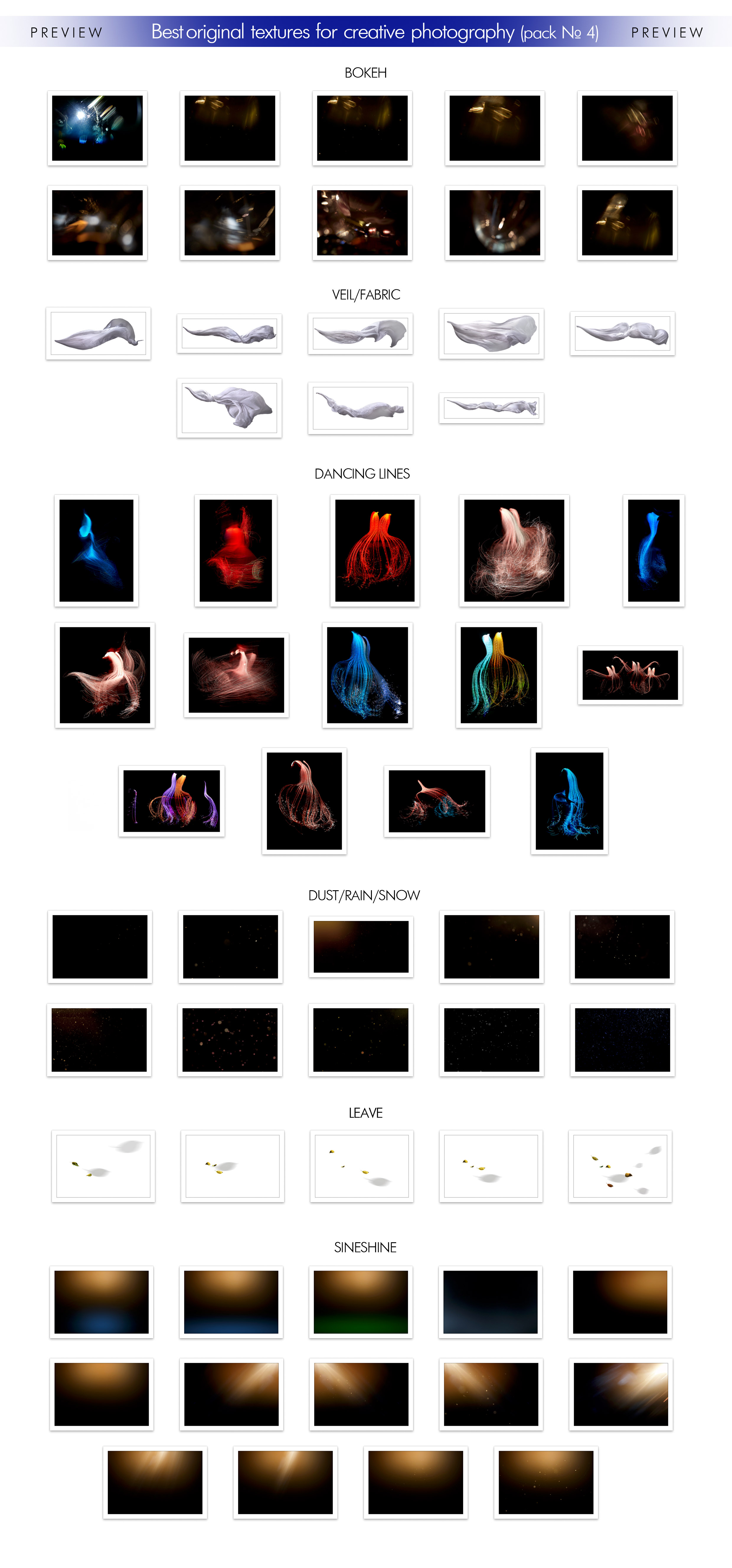
Full visual index of all 61 textures included in Pack No. 4 across 6 creative categories
Count: 61 High-Resolution Files
Complete 61-File Breakdown
6 Specialized Categories for Light Rays, Motion & Atmosphere
Exact Pack Contents (61 Files)
- Radiant Light & Energy: 14 Sineshine warm sunbeams & directional light glows, 14 colorful Dancing Light Lines, and 10 optical Bokeh flares.
- Airborne Atmosphere: 10 Dust, Rain, Snow & golden spark overlays for rich depth of field.
- Flowing Fabrics & Botanicals: 8 Flying Veil & Silk Fabric overlays plus 5 Floating Leaves with soft natural shadows.
Universal Software Workflow
- Multi-App Compatibility: Works seamlessly in Adobe Photoshop, Lightroom, Affinity Photo, and Capture One.
- Dark & Light Background Variations: Use Screen blend mode for dark-backed sunbeams, bokeh, and dancing lines, and Multiply / Darker Color for light-backed veils and leaves.
- Commercial & Print Ready: High-resolution files engineered for large-format gallery prints and editorial retouching.
Effortless Workflow
How to Apply Pack No. 4 in Your Favorite Editor
01
Drag & Drop Into Your Editing Software
Place any of the 61 textures above your photo layer in Photoshop or Affinity Photo, or load it directly into Capture One’s Overlay tool or Lightroom.
02
Choose Your Blend Mode & Opacity
Use Screen for black-background sunbeams, dancing light trails, bokeh, and sparks, or Multiply for white-background veils and floating leaves—then dial in opacity.
03
Position, Mask & Enjoy Gallery-Ready Depth
Align directional light rays with your subject’s highlights and use a soft mask brush to keep skin tones clean, warm, and luminous.
Watch Demonstration
See Fine Art Textures in Action
Technical Details
Pack Specifications
Included Files
61 High-Resolution Texture Overlays
Compatible Software
Photoshop, Lightroom, Affinity Photo & Capture One
Usage License
Personal & Commercial Client Work
Questions & Answers
Frequently Asked Questions
🖥️ How do these textures work in Photoshop, Lightroom, Affinity Photo & Capture One?
All 61 files are delivered in high-resolution standard image formats. In Adobe Photoshop and Affinity Photo, simply drop them onto a layer above your photo and set the blend mode (Screen for dark-backed sunbeams/bokeh/light lines, Multiply for light-backed veils/leaves, or Overlay/Soft Light). In Capture One, load any texture into the built-in Overlay tool, and in Lightroom apply them via texture overlay plugins or layer compositing workflows.
🖨️ Are the textures high enough resolution for large prints?
Yes! Every texture is created at high resolution to preserve smooth light gradients, crisp fabric detail, and artifact-free highlights for both web portfolios and large-format fine-art prints.
💳 How do I complete my purchase?
Simply select your preferred payment method (PayPal or credit card) right below this section to complete checkout and receive your download links.
$50 USD
• 61 High-Res Textures • Pack No. 4
🔒 Secure Checkout
•
💳 PayPal & Credit Card Supported
•
📩 Direct Email Delivery
🛒 Select a payment method: